
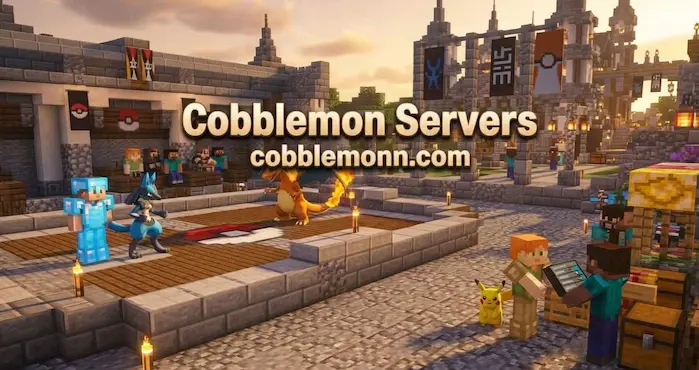
Cobblemon Servers give players a way to experience the Pokémon mod with other people in shared Minecraft worlds. Instead of playing alone, you can explore together, catch Pokémon, trade with other players, build teams, and take part in battles or server events.
Each server can offer a different experience. Some focus on survival and exploration, while others add gyms, quests, economies, claims, tournaments, custom Pokémon content, or other features. Before joining, check the server’s Minecraft version, Cobblemon version, mod requirements, rules, and gameplay style.
What Are Cobblemon Servers?
A Cobblemon server is a multiplayer Minecraft world that supports the Cobblemon mod. Players can connect to the same world and use Pokémon features while interacting with other members of the community.
The exact experience depends on the server owner. One server may keep the gameplay close to standard survival, while another may add custom progression, gyms, player shops, events, or competitive battles.
This makes multiplayer useful for players who want more than a single-player world. You can meet other trainers, exchange Pokémon, explore together, and take part in activities that are built around a shared community.

How Multiplayer Cobblemon Works
Multiplayer follows the same basic Pokémon systems found in a normal Cobblemon world. You can explore, encounter Pokémon, catch them, train your team, and use them in battles.
The main difference is that other players share the same world. This creates opportunities for trading, player battles, group exploration, and server events. Server owners can also add their own rules and systems to change how progression works.
What to Check Before Joining a Server
Not every server uses the same setup. Before connecting, check the Minecraft version and Cobblemon version required by the server.
You should also check whether the server needs a specific modpack or additional mods. Some communities provide their own launcher or modpack, while others only require the main Cobblemon installation.
Server rules are also important. Read the community guidelines before joining so you understand how trading, PvP, chat, building, claims, and other activities are handled.
Server Types
Different types of Cobblemon Servers focus on different styles of gameplay. Choosing one starts with deciding how you want to spend your time in the game.
Survival Servers
Survival servers combine normal Minecraft survival with Pokémon gameplay. Players gather resources, build bases, explore the world, and catch Pokémon while sharing the same environment with other players.
Some survival communities keep the experience close to standard Minecraft, while others add custom features such as economies, claims, quests, gyms, or player shops.
Competitive Servers
Competitive servers focus more on battles and team building. Players can train Pokémon, test different teams, and take part in PvP activities.
Some servers may organize tournaments or create their own ranking systems. The exact rules vary, so check how battles and competitive progression work before joining.
Community Servers
Community-focused servers put more attention on social gameplay. Players can build together, trade Pokémon, explore new areas, and take part in events.
These servers can be useful if you want to meet other Cobblemon players rather than playing alone. Community size and activity levels can vary, so check recent server information before joining.
Adventure Servers
Adventure-focused servers may add quests, gyms, custom structures, special areas, or other progression systems. These features give players goals beyond normal survival. The experience can vary a lot between servers. Read the server description to see what type of adventure content is included.
Catching Pokémon on a Server
Catching Pokémon works as a core part of the multiplayer experience. Players can explore different areas, find wild Pokémon, and add them to their collections.
Server settings may affect Pokémon spawns. Some communities use custom spawn tables or add extra content, so the Pokémon you find may not match the experience of another server.
If you are looking for specific species, check the server’s information before starting your search. A server may have its own spawn rules or custom areas for certain Pokémon.
Building Your Team
Multiplayer gives you more reasons to build a balanced Pokémon team. You may face wild Pokémon, server challenges, gyms, or other players depending on the community you join. Consider types, moves, abilities, stats, and evolution when choosing your main team. Keeping additional Pokémon can also help when you need to change your lineup for a different battle.
For detailed information about individual Pokémon, use the Cobblemon Pokédex as a reference while building your team.
Trading Pokémon
Trading is one of the main social features available on many multiplayer servers. Players can exchange Pokémon with each other instead of relying only on their own encounters.
Trading can help you find species that are difficult to obtain in your own area. It can also make it easier to complete a collection when another player has a Pokémon you need.
Always use the server’s official trading system when one is available. Follow the community rules and avoid unofficial deals that could lead to disputes.
Player Battles
Player battles allow trainers to test their teams against other members of the server. These battles can help you learn how different types, moves, and team combinations perform against real opponents.
Some servers may offer casual PvP, while others build larger competitive systems around battles. Check the server rules to understand whether PvP is optional, restricted to certain areas, or part of the main progression.
Gyms and Challenges
Some servers add gyms as a structured way to progress through multiplayer content. Gym leaders may use specific types or custom teams, giving players a reason to prepare their Pokémon before challenging them.
Other communities may include quests, tournaments, raids, dungeons, or special events. These features are not identical across all servers, so check each server’s feature list before joining.
Economy and Trading Systems
Some multiplayer communities include an economy where players can buy, sell, or trade items. Server shops can give players another way to obtain resources without relying only on normal Minecraft gathering.
Economy systems can also support Pokémon-related trading. The exact rules depend on the server, so check how its currency and player trading systems work before making transactions.
Claims and Building
Some servers use claim systems to protect player builds. A claim can help prevent other players from changing or removing blocks in your protected area.
If building is important to you, check whether the server offers claims and how its protection system works. Rules about bases, land, and shared areas can differ between communities.
Events and Community Activities
Server events give players extra activities outside normal survival gameplay. Events may include battles, tournaments, treasure hunts, building contests, seasonal activities, or special Pokémon encounters.
The schedule and type of events depend on the server. Active communities may offer regular activities, while smaller servers may focus more on relaxed survival and social gameplay.
How to Join a Cobblemon Server
Joining a server starts with checking its requirements. Confirm the Minecraft version, Cobblemon version, mod loader, and any additional mods or modpacks required.
Install the correct setup and launch Minecraft through the matching profile. From the multiplayer menu, add the server address provided by the server owner and connect.
If the server requires a custom modpack, follow its installation instructions instead of adding individual mods manually. This helps ensure that your files match the server’s setup.
Server Requirements
Requirements can differ between Cobblemon Servers. Some only need the main mod and its dependencies, while others require a complete modpack. Before downloading anything, check the official server information. Make sure the Minecraft version, mod loader, Cobblemon version, and additional files all match.
A version mismatch can prevent you from connecting or cause the game to display errors. Checking the requirements first is much easier than troubleshooting an incorrect installation later.
Cobblemon Modpacks for Multiplayer
Some servers provide their own Cobblemon Modpack to make setup easier. A server modpack can include Cobblemon, required dependencies, performance mods, and additional content selected by the server team.
If you use a server-specific modpack, avoid adding extra mods unless the server allows them. An unsupported mod can cause compatibility problems or prevent you from connecting. For more information about different setups, visit our Cobblemon Modpacks page.
Server Performance
Server performance depends on factors such as hardware, player count, world size, installed mods, and server configuration. A server with many players and additional content may have different performance requirements from a small survival server.
Your own computer also matters. Make sure Minecraft has enough memory and that your mod setup matches the server’s recommended configuration.
If you experience lag, check whether the issue comes from the server or your own setup. Other players may experience the same problem if the server itself is having performance issues.
Finding an Active Server
An active community can make multiplayer more enjoyable because there are more players to trade with, battle, and interact with. However, player counts can change throughout the day and over time.
Check the server’s current information before joining. Look for recent updates, active community channels, server rules, and information about the current Minecraft and Cobblemon versions. Do not rely only on an old server list entry. Server information can become outdated when a community changes its version or stops operating.
Playing With Friends
You do not need a large public community to enjoy multiplayer. A private or small server can give a group of friends a shared world where they can explore, catch Pokémon, build bases, trade, and battle.
Playing with friends also makes long-term goals easier to share. You can work together on exploration, compare collections, build team strategies, and create your own challenges.
Cobblemon Servers and the Pokédex
The Cobblemon Pokédex can be useful when playing on a server because it helps you research Pokémon before building a team or searching for a specific species.
Server settings can change spawn conditions and available content, so always compare general Pokémon information with the server’s own rules. Custom servers may use different spawn tables, addons, or progression systems.
Cobblemon Servers and the Wiki
The Cobblemon Wiki provides useful information about the game’s main mechanics. It can help you understand systems such as evolution, breeding, riding, Pokémon types, and other features before you use them on a multiplayer server. Server-specific mechanics may work differently, so use the server’s own documentation when it changes the normal rules.
How to Choose a Server
Start by deciding what type of experience you want. If you enjoy survival, look for a community that focuses on exploration and building. If you prefer battles, check for PvP, gyms, tournaments, or competitive features.
Also consider the server’s version, mod requirements, community rules, activity level, and extra features. These details can have a bigger effect on your experience than the server’s name or player count.
Common Server Problems
Cannot Connect to the Server
Check your Minecraft version, Cobblemon version, mod loader, and required mods. A mismatch in any of these files can stop you from connecting.
Missing Mods
If the server requires a modpack, install the complete package provided by the server. Do not assume that the main Cobblemon mod is the only requirement.
Server Is Lagging
Server lag can come from high player numbers, world activity, heavy mods, or server hardware. Check whether other players are experiencing the same issue before changing your own Minecraft settings.
Pokémon Are Not Spawning
Custom server settings can affect Pokémon spawns. Check the server’s spawn rules and make sure you are searching in the correct biome or under the correct conditions.
Cannot Use a Feature
Some features may be restricted by server permissions. If a command, trading system, or other mechanic does not work, check the server rules or ask its staff for information.
FAQs
What Are Cobblemon Servers?
Cobblemon Servers are multiplayer Minecraft worlds that support the Cobblemon mod. Players can explore, catch Pokémon, trade, battle, and take part in community activities.
Are Cobblemon Servers Free?
Many community servers are available to join without an entry fee, but individual servers can have their own rules and optional purchases. Check each server’s information before joining.
How Do I Join a Server?
Install the Minecraft, mod loader, Cobblemon version, and additional files required by the server. Then add the server address through Minecraft’s multiplayer menu.
What Minecraft Version Do Servers Use?
There is no single version used by every server. Each community chooses its own setup, so check the server’s current requirements before connecting.
Do I Need a Modpack?
Some servers only require Cobblemon and its dependencies, while others provide a complete modpack. Follow the setup instructions provided by the server.
Start Playing Multiplayer
Cobblemon Servers add a social side to the Pokémon and Minecraft experience. You can explore with other players, trade Pokémon, build teams, take part in battles, and join communities with their own features and progression systems.
Before joining, check the server’s Minecraft version, mod requirements, rules, gameplay style, and current activity. Once your setup matches the server, you can enter the world and start building your own multiplayer Cobblemon experience.