Cobblemon Download gives Minecraft players a way to add Pokémon gameplay to their worlds. The mod combines Pokémon catching, training, battles, breeding, evolution, and exploration with the open-world systems of Minecraft. Before downloading, make sure your Minecraft version, mod loader, and other required files match the Cobblemon release you plan to use.
The download process is simple when all parts of the setup match. Choose a supported Minecraft version, select the correct mod loader, download the required files, and place them in the proper mods folder. After that, launch Minecraft with the matching profile and check that Cobblemon loads correctly.
What Is the Cobblemon Mod?
Cobblemon is a Minecraft mod built around Pokémon gameplay. It adds Pokémon to the Minecraft world and lets players find, catch, train, battle, breed, and evolve them while continuing to explore and use the normal Minecraft environment.
The mod also works with different community projects, addons, and modpacks. These additions can expand the experience with new features, but they must match the Minecraft and Cobblemon versions you are using.
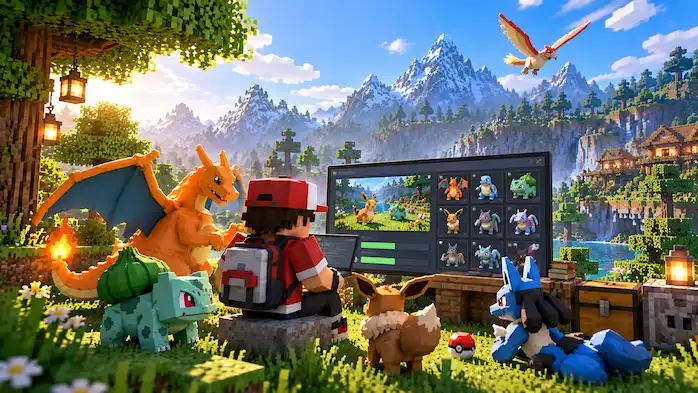
Before You Download Cobblemon
Check your Minecraft setup before starting the download. The most important details are your Minecraft version, mod loader, and the Cobblemon version you want to install. Using mismatched files can cause crashes, missing features, or prevent the game from starting.
Your other mods also matter. If you already have a large mod collection, check whether those mods support the same Minecraft version and loader. A clean installation is often easier to test before adding more content.
Minecraft Version Requirements
Cobblemon releases support specific Minecraft versions. These requirements can change when new releases become available, so always check the requirements for the version you are downloading.
Do not assume that a newer Minecraft version will work with an older Cobblemon file. The same applies when using addons or other mods. Every part of the installation should match the required version.
Fabric and NeoForge
The mod loader is another important part of the installation. Depending on the Cobblemon release, you may use Fabric or NeoForge. Choose the loader that matches the release and then install the required loader version for your Minecraft setup.
Do not place Fabric files into a NeoForge setup or use addons made for a different loader. Keeping the loader, Minecraft version, Cobblemon version, and dependencies aligned makes the installation much easier to manage.
How to Install Cobblemon
Installing Cobblemon follows a few basic steps. First, install the supported Minecraft version and the required mod loader. Then download the Cobblemon file that matches your setup and place it inside the Minecraft mods folder.
Next, launch Minecraft through the profile created by your mod loader. Open the game and check that Cobblemon appears among the loaded mods. If Minecraft starts without errors, you can enter a world and begin exploring for Pokémon.
Required Files and Dependencies
Some Cobblemon setups may require additional files or dependencies. These requirements depend on the Minecraft version and mod loader you choose. Read the requirements listed with the release before launching the game.
If Minecraft shows a missing dependency error, check the error message and compare it with the installation requirements. Adding the correct dependency is safer than downloading random files from unrelated sources.
Where to Put the Downloaded File
After downloading the correct Cobblemon file, place it in your Minecraft mods folder. The location of this folder depends on your operating system and Minecraft setup, but it is normally inside the main Minecraft game directory.
Keep the file in its original format unless the installation instructions tell you to do something else. You do not need to extract a normal mod .jar file before placing it in the mods folder.
Start a New Cobblemon World
Once the installation works, create a new Minecraft world or open an existing compatible world. Cobblemon adds Pokémon-related features to the game, so you can start exploring areas where Pokémon spawn and begin building your collection.
Look for different species as you travel through biomes. You can catch Pokémon, train your team, discover evolution methods, and explore the world while using the normal Minecraft survival systems.
Cobblemon Download for Modpacks
A Cobblemon modpack includes the main mod along with other compatible mods and configuration files. Modpacks can make installation easier because the creator has already prepared a group of files for a specific setup.
If you use a modpack, follow its own installation instructions instead of adding individual files at random. Adding extra mods without checking compatibility may create conflicts with the existing setup.
Cobblemon Addons and Extra Mods
After the basic installation works, you may want to add compatible Cobblemon addons. These projects can expand the game with new Pokémon content, trainers, structures, interfaces, gameplay systems, or other features.
Install addons one at a time when possible. This makes it easier to find the source of a problem if Minecraft stops loading. Always check the addon requirements before adding it to your installation.
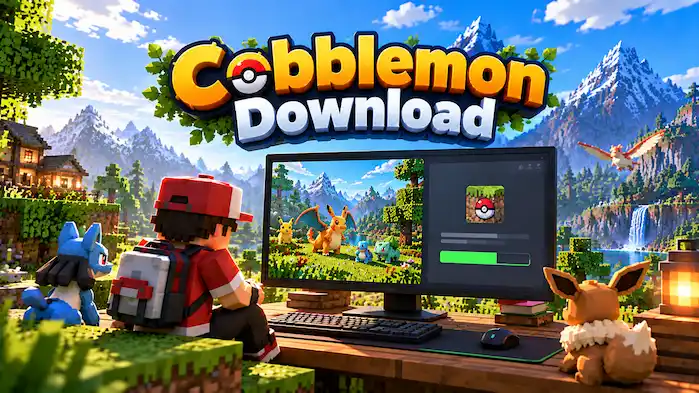
Common Cobblemon Download Problems
Minecraft Crashes After Installation
A crash can happen when the Minecraft version, mod loader, Cobblemon file, or dependency does not match. Check every version first and remove recently added mods if the problem started after changing your setup.
Cobblemon Does Not Appear
If the mod does not appear in the game, check that the file is inside the correct mods folder and that you launched Minecraft through the correct mod loader profile. Also confirm that the downloaded file matches your Minecraft version.
A Dependency Is Missing
A missing dependency message means another required file is not installed. Read the error message, check the Cobblemon requirements, and install the correct version of the missing dependency.
Addons Do Not Work
An addon may require a different Cobblemon version, Minecraft version, or mod loader. Check its requirements before using it. If the addon still causes problems, remove it and test the main Cobblemon installation on its own.
Is Cobblemon Free to Download?
Cobblemon itself is available as a free Minecraft mod. However, you still need a compatible Minecraft installation to use it. Some community servers, modpacks, or additional services may have their own rules or costs, so check those details separately.
Can You Play Cobblemon on Multiplayer Servers?
Yes. After installing a compatible setup, players can join multiplayer servers that support their Minecraft and Cobblemon versions. Server owners may use additional mods, addons, or custom features, so check the server requirements before connecting.
FAQs
What Is Cobblemon Download?
Cobblemon Download refers to getting the Minecraft mod files needed to add Pokémon gameplay to a compatible Minecraft installation.
Is Cobblemon Free?
Yes, Cobblemon is available as a free Minecraft mod. You still need Minecraft to play it.
Which Minecraft Version Do I Need?
The required Minecraft version depends on the Cobblemon release you choose. Always check the release requirements before downloading.
Does Cobblemon Support Fabric?
Cobblemon has releases that support Fabric. Match the Fabric version with the requirements of your selected Cobblemon release.
Does Cobblemon Support NeoForge?
Cobblemon also has releases that support NeoForge. Check the specific release requirements before installing it.
Start Playing Cobblemon
Cobblemon Download is the first step toward adding Pokémon gameplay to Minecraft. Once you match the Minecraft version, mod loader, Cobblemon release, and required dependencies, the installation becomes straightforward. After launching the game, you can explore the world, find Pokémon, build your team, and start your Cobblemon adventure.